

Social media can be useful, but also frustrating. As a climate scientist, I use it to engage with a wide range of people. But most platforms are designed to maximize screen time, not to help you read well. Even on newer, open platforms like Bluesky, the default experience is still a firehose: everything from everyone you follow, all the time.
That doesn’t scale. I follow hundreds of people. Some post occasionally; others post constantly. Important things get buried, and the only way to keep up is to keep scrolling.
That led me to build Skylimit, a Bluesky client designed to help me make better use of my limited screen time. If most social media apps are built around infinite scrolling, Skylimit is built around the opposite idea: finite scrolling.
Think of it like a newspaper. An editor has limited space and has to decide what makes the cut. Not everything goes in—only what’s worth your time.
Or think of it like a calorie budget. If you only have so much to consume in a day, you want to spend it on the good stuff.
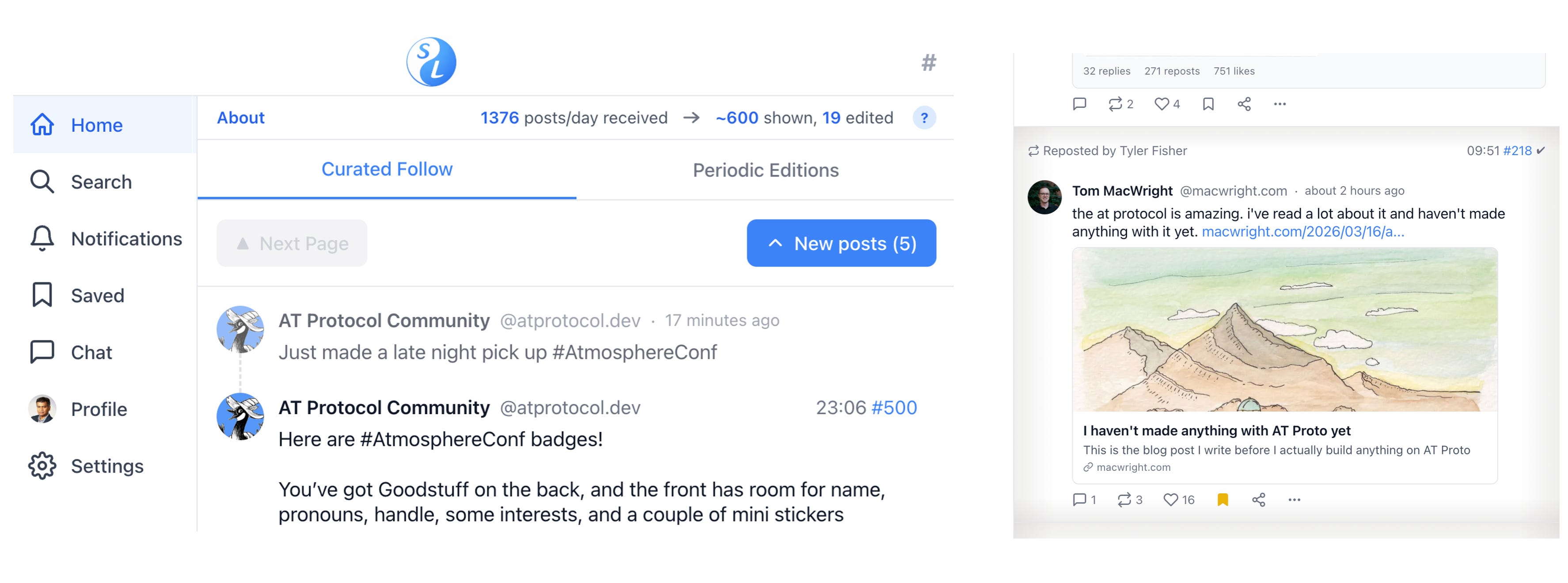
Skylimit home page (left) and aged post (right)
Skylimit applies that idea to your feed. You choose how many posts you want to see each day. Every post is numbered, starting fresh at midnight. By clicking on a post’s number, you can boost or downweight individual voices. Your feed should reflect what you actually care about—not just who posts the most.
Instead of endlessly scrolling, you start to read more deliberately. Skylimit also tracks whether you’ve already read a post. About fifteen minutes after you first view it, a checkmark appears and the post background visibly “ages,” like paper. As you scroll, you can also see how many unread posts remain.
One of Skylimit’s most distinctive features is its Editions feed. Skylimit can generate editions at set times of day—say, Morning, Noon, and Evening. Within each edition, posts are grouped into sections based on criteria you define.
For example, you might create:
- a Substacks section in the Morning Edition for recent blog posts,
- a Humor section in the Noon Edition,
- or a Friends/Colleagues section to make sure you don’t miss posts from people you care about.
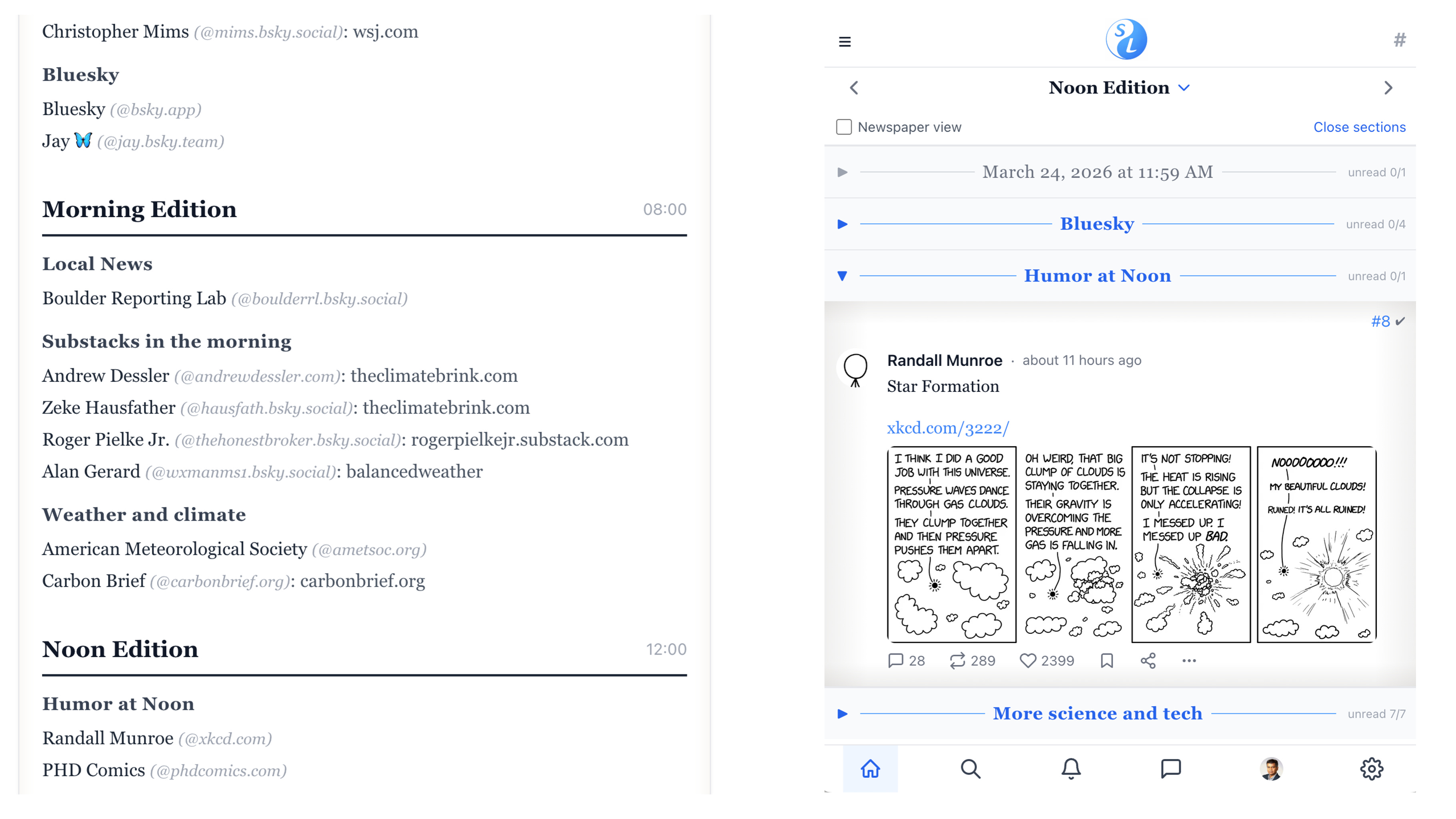
Sample edition layout specification (left) and rendering (right)
Editions are a bit like Bluesky lists—but they are also structured in time. That helps solve a familiar problem: FOMO. The fear that if you stop scrolling, you’ll miss something important. In Skylimit, you can treat people like columnists and make sure their posts appear where and when you expect them.
Another problem with social media is that prolific posters can dominate your attention. Skylimit uses a statistical algorithm to make sure quieter voices are still heard, while still letting you control how much attention prolific posters get.
Try out the beta version of Skylimit at skylimit.dev. You can use it as a normal website, but you can also install it on your phone—or even on a desktop computer—as a web app, without going through an app store. The site includes an install link with instructions.
To log in, you’ll need to create a Bluesky App Password using the link on the site. Once you log in, your session will usually be remembered, so you won’t need to repeat that step often. Give the app a minute or two to initialize. Skylimit downloads roughly a day’s worth of posts from your feed so it can set up its probabilistic curation system.
(Technically, Skylimit is a serverless open-source web app hosted on GitHub Pages. There is no Skylimit server, and all of its curation data is stored locally in your browser. That means the curation data stays private.)
Once initialization is complete, you’ll start seeing numbered posts in your feed. From there, go to Settings and choose how many posts you want to see per day. That number is a statistical target, not a hard cap. On busy days, you will see more posts. On quiet days, you will see fewer.
At the top of the feed, the Next Page and New Posts buttons let you move forward. At the bottom, the Prev Page button lets you go back. (There is also an “infinite scroll” option buried in Settings that will automatically click Prev Page for you—but turning it on rather defeats the whole point!)
In future posts, I’ll explain more about what Skylimit can do. That includes practical features, like how to design your own periodic editions, and stranger ones, like the built-in bug reporting system. If you’re technically inclined, you can even use that system to debug or customize the app while it’s running—by literally talking to it.
Note: You can view my intro Lightning Talk Video from ATmosphereConf 2026 (the global AT Protocol community conference).
Bluesky: @sarava.net